
From the menu to done on the same floor loop.
See how Chulo runs the counter: menu, order, kitchen, billing, checkout, and the next table.
The floor loop
Six steps. One hearth.
Everything the counter needs sits in one path, no jumping between apps to fire the kitchen or close the bill.
01
Menu
Search the board, tap a dish, and build the ticket — categories and prices ready at the counter.
02
Order
Assign a table or takeaway, adjust qty, and send the ticket without leaving the floor view.
03
Kitchen
KOTs and BOTs land on the pass so the kitchen fires the right plate for the right seat.
04
Billing
VAT, round-off, and line totals stay on the bill — clear numbers before the guest pays.
05
Checkout
Cash, Khalti, bank, or udaro — settle the ticket and free the table for the next guest.
06
Done
Stock updates, the floor refreshes, and you’re ready for the next order.
Orders
Take the order. Fire the kitchen.
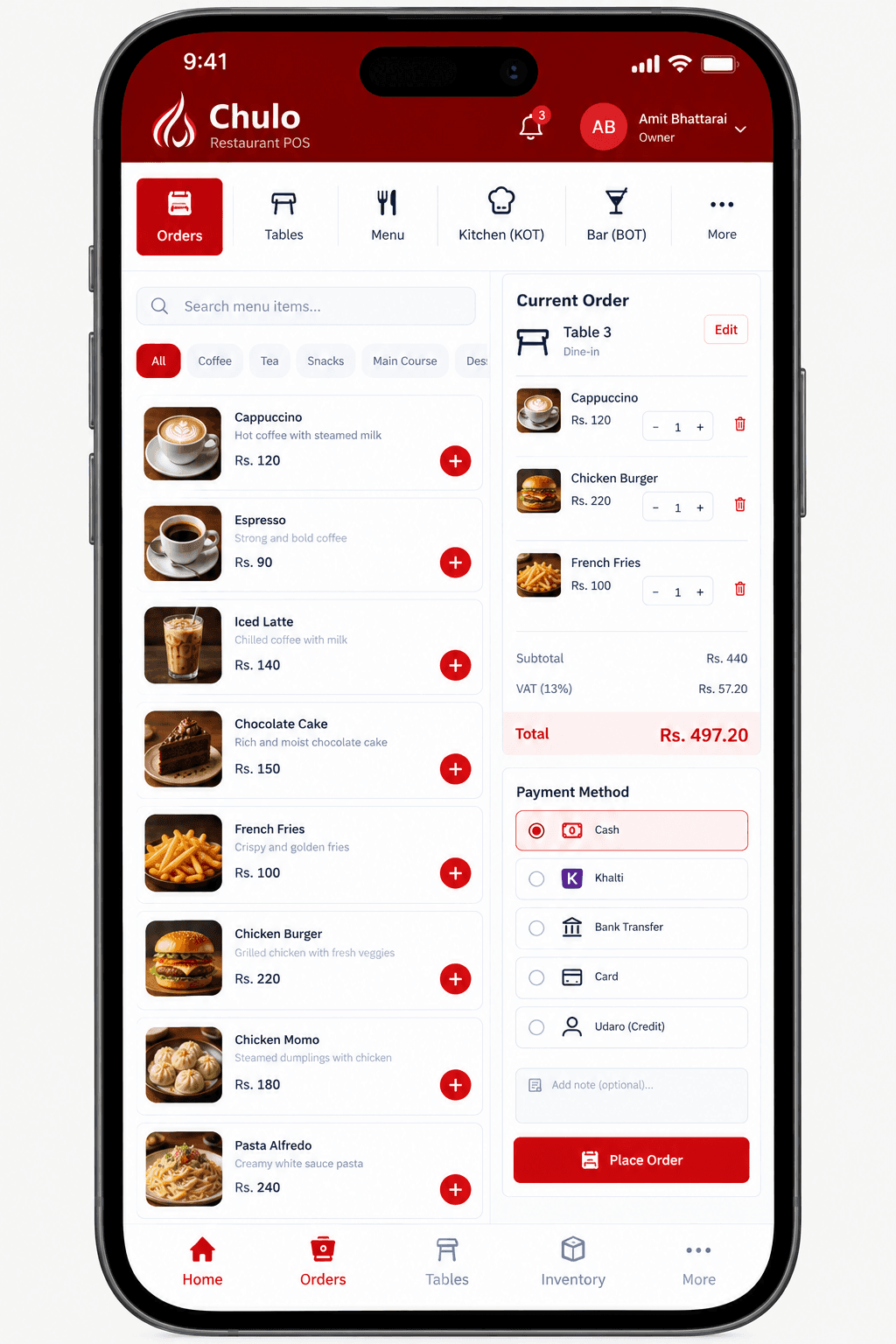
Search the menu, build the ticket for a table or takeaway, pick how they pay, and place the order on the same screen your staff live on at the counter.
- Menu search and category filters
- Live ticket with qty and VAT total
- Cash, Khalti, bank, or udaro at checkout
Dashboard
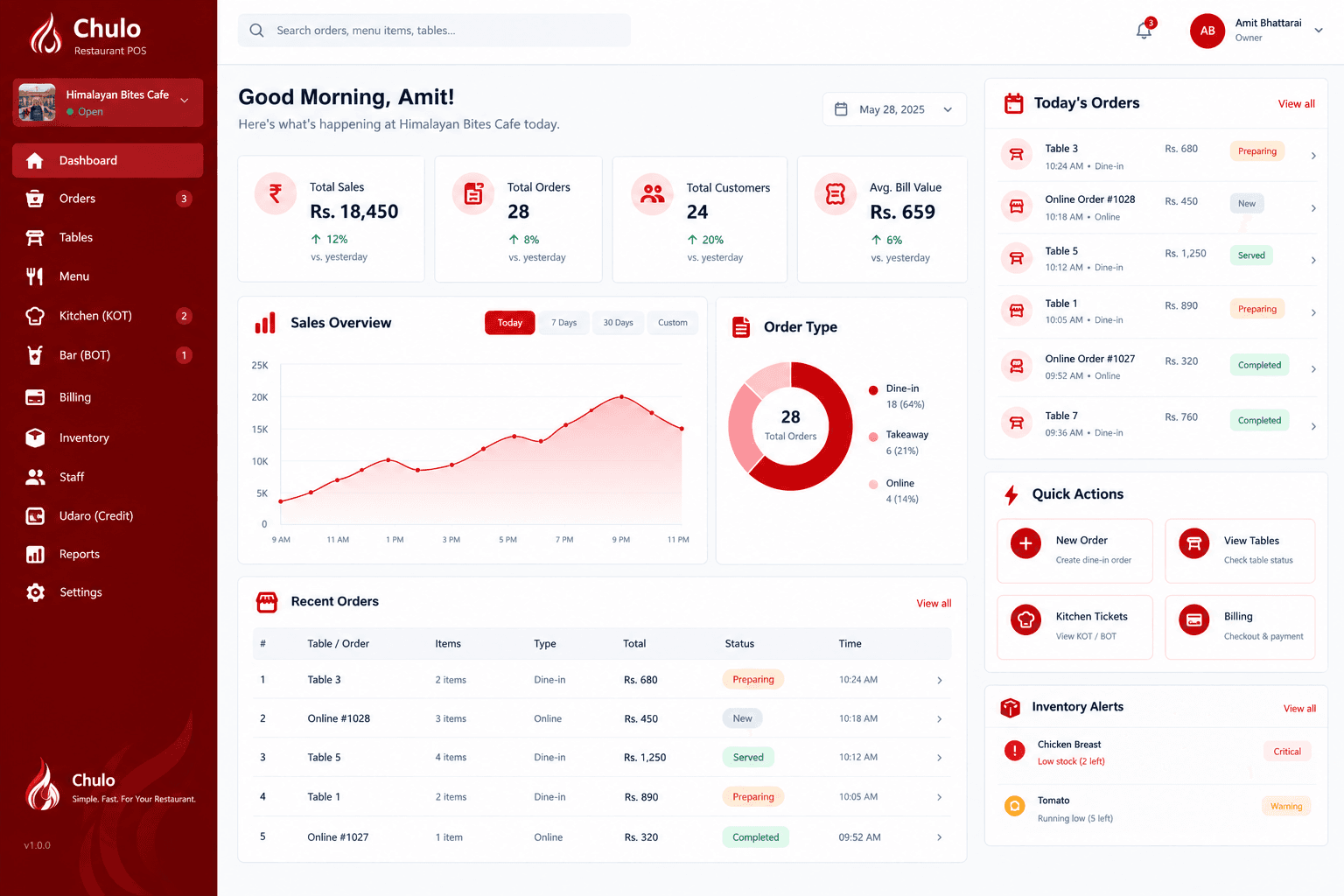
See the floor after the rush.
Sales, open tickets, kitchen load, and quick actions on Chulo POS so owners know what’s happening without leaving Chulo POS.
On the move
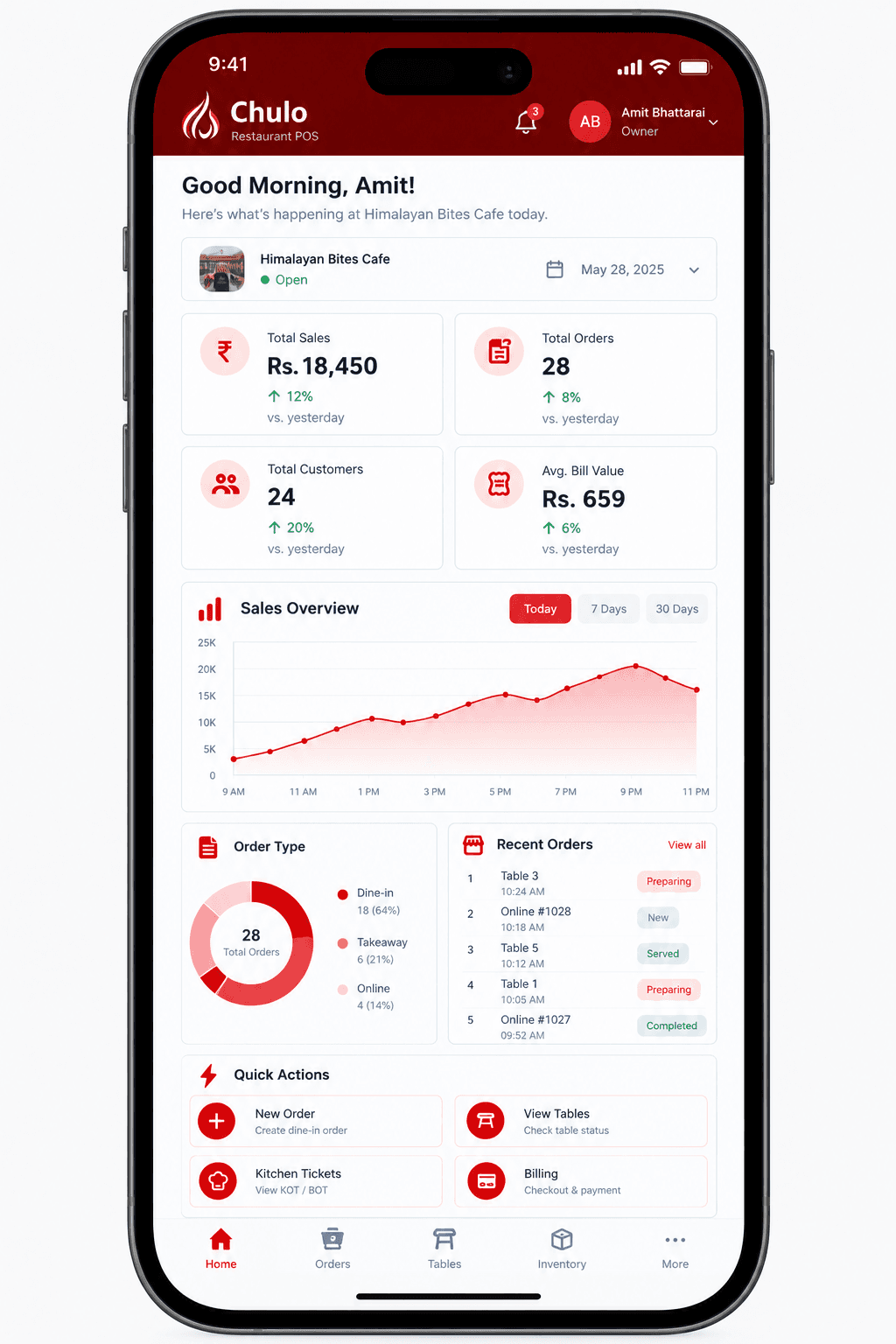
Built for the tablet so staff can run the floor loop on the counter and on the go on their phone.
Run the same floor loop on a counter tablet or check the day from your phone. Chulo stays light in the browser so the staff aren’t stuck on a desktop.
Browse featuresReady to run your floor on Chulo?
Book a demo or ask about onboarding, we’ll walk your menu, tables, and kitchen through the loop above.